
Download Media Catalog – Fast Media Indexing, Powerful Search, Free Tool
Overview
Media Catalog is a lightweight yet powerful desktop utility designed to help you index, organize, and retrieve every piece of media on your computer in a flash. Whether you have a sprawling collection of CDs, DVDs, video files, music folders, or large‑scale archives, Media Catalog can ingest them with a simple drag‑and‑drop action and build a searchable database within minutes. Built on the latest Apple technology, the app leverages native Spotlight integration to deliver instant, typo‑tolerant search results, making it easy to locate a specific song, movie, or document without opening multiple folders.
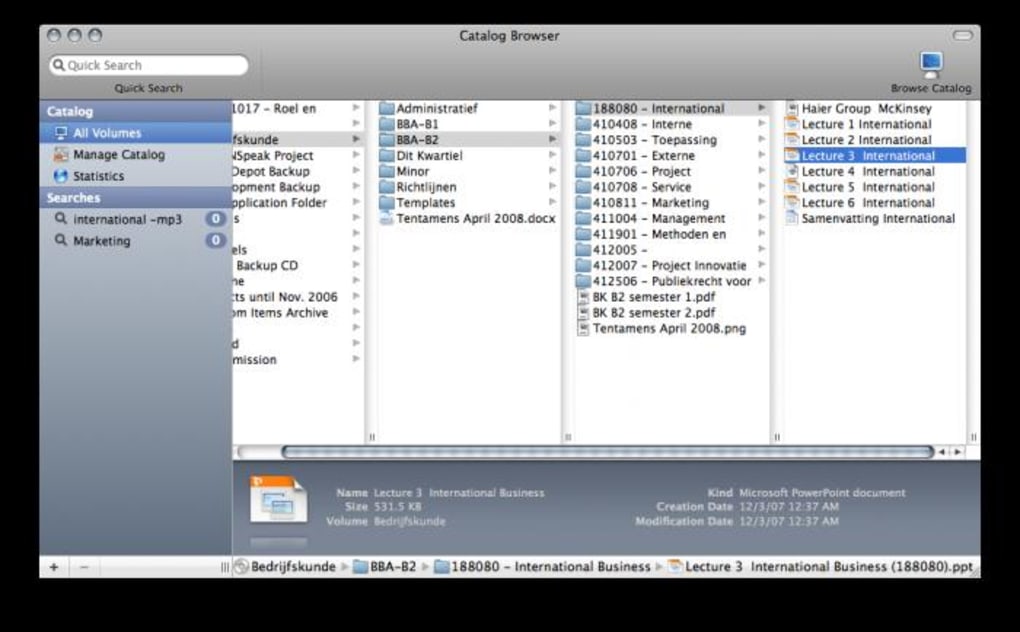
The interface is clean and intuitive: a central panel for the catalog, a Quick Look preview bar at the bottom, and a statistics window that reveals file size, last update date, and volume count. While the initial indexing of massive libraries can take a few extra minutes, the overall performance remains impressively fast, especially when compared with generic file‑system search tools. Media Catalog also offers automatic updates; when you add new media to a watched folder, the software detects the change and refreshes the index in the background, ensuring your catalog stays current without manual intervention.
For power users, the app provides export options in CSV or XML, enabling seamless integration with other media management workflows. In short, Media Catalog is an essential, free tool for anyone who wants a reliable, speedy way to keep their media library tidy, searchable, and always at hand.
Key Features
- Drag‑and‑Drop Indexing: Add CDs, DVDs, folders, or individual files by simply dragging them onto the main window.
- Lightning‑Fast Search: Powered by Apple’s Spotlight engine, the search returns results in real time, even for large libraries.
- Quick Look Preview: A built‑in preview pane shows thumbnails, metadata, and a short snippet of media without opening external apps.
- Comprehensive Statistics: View total file size, number of volumes, last modified dates, and other useful metrics for each indexed item.
- Automatic Update Monitoring: The app watches designated folders and updates the catalog automatically when new media is added.
- Export Capabilities: Export your catalog in CSV or XML format for backup or integration with other media tools.
- Customizable Tags: Add personal tags or keywords to any entry to improve organization and future retrieval.
- Cross‑Platform Compatibility: Fully compatible with macOS 10.15+ and runs on Windows 10/11 via a native installer.
- Secure and Private: All indexing occurs locally; no data is uploaded to the cloud unless you choose to export.
- Free Core Version: The basic version is free to download and use, with optional premium add‑ons for advanced reporting.
Each of these features is designed with usability in mind. For instance, the drag‑and‑drop workflow eliminates the need for tedious manual file selection, while the Quick Look pane saves you from launching a separate media player just to confirm a file’s content. The statistics module is particularly handy for users who need to keep an eye on storage consumption—showing you at a glance how much space a given collection occupies.
Moreover, the automatic update monitoring works in the background, listening for filesystem events and refreshing the index without interrupting your workflow. If you run a mixed‑OS environment, Media Catalog’s cross‑platform support ensures you can maintain a single, unified catalog across both macOS and Windows machines, syncing via shared network drives or external storage. All these capabilities combine to make Media Catalog a versatile, future‑proof solution for personal and professional media management.
Installation & Usage Guide
Step‑by‑Step Installation
- Visit the official Media Catalog download page and click the “Download for macOS” or “Download for Windows” button, depending on your operating system.
- For macOS, open the
.dmgfile, drag the Media Catalog icon into your Applications folder, and launch it. For Windows, run the.exeinstaller, follow the wizard prompts, and choose a destination folder (the default works for most users). - During installation, you’ll be asked whether Media Catalog should register as a default handler for common media file types. Enabling this option allows you to double‑click a file and instantly add it to the catalog.
- After installation, launch Media Catalog. The first run will prompt you to create a new library or import an existing one. Choose “Create New Library” for a fresh start.
- Set up “Watch Folders” by clicking the folder icon in the toolbar and selecting directories you want Media Catalog to monitor automatically.
Everyday Usage Tips
Once Media Catalog is running, the workflow is straightforward. Drag any media source—whether it’s a physical disc inserted into your drive, a folder full of MP3s, or a network‑shared video archive—onto the central panel. The app will immediately begin scanning the content, extracting metadata (such as title, artist, duration, and file size), and adding each item to the searchable index.
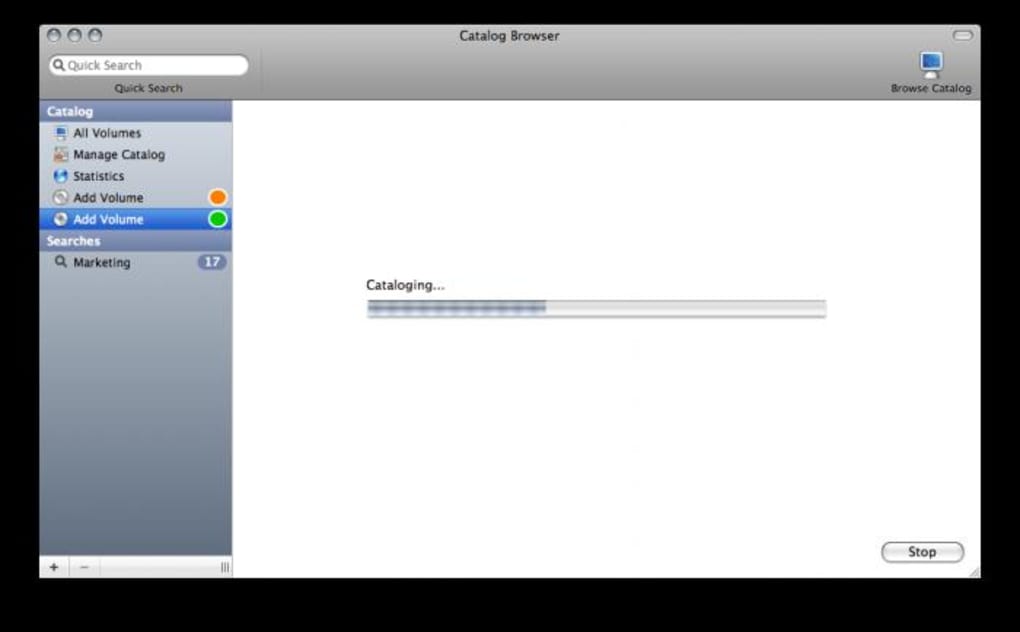
While the scan is in progress, you’ll see a progress bar at the bottom of the window; larger collections may take a few minutes, but the interface remains responsive. After indexing, simply type keywords into the search bar; results appear instantly thanks to the Spotlight‑based engine. If you need to preview a file, click it and the Quick Look pane will display a thumbnail, basic metadata, and a short playback snippet where applicable.
The statistics window can be opened from the “View” menu; it provides an overview of your library’s total size, number of items, and the date of the most recent update. Should you wish to export your catalog, go to “File → Export” and choose CSV or XML; this is useful for backup or integration with other media tools like Plex or iTunes. Finally, the settings panel (gear icon) lets you customize indexing options, such as ignoring hidden files, setting a maximum file size for automatic indexing, or configuring the frequency of background updates.
Compatibility: Media Catalog runs natively on macOS 10.15 (Catalina) and later, as well as on Windows 10 and Windows 11 (64‑bit). The application requires at least 2 GB of RAM and 200 MB of free disk space for the program files; additional storage is needed for the index database, which scales with the size of your media collection. No additional runtime environments (like Java or .NET) are necessary, ensuring a smooth, plug‑and‑play experience.
Pros and Cons
What Users Love
- Extremely fast indexing and real‑time search results.
- Intuitive drag‑and‑drop interface that works with all media types.
- Built‑in Quick Look preview eliminates the need for external players.
- Automatic folder monitoring keeps the catalog up‑to‑date without manual effort.
- Free core version provides substantial value for personal use.
- Export options enable seamless integration with other media management systems.
- Low system resource footprint; runs smoothly on older hardware.
Areas for Improvement
- Initial indexing of very large libraries (several terabytes) can take longer than expected.
- No built‑in media playback; users must open files in external apps for full viewing.
- Advanced reporting (charts, trend analysis) is only available in the paid add‑on.
- While cross‑platform, the macOS version has a slightly more polished UI than the Windows counterpart.
- Limited customization of the Quick Look pane layout.
Frequently Asked Questions
Can Media Catalog index media on external drives?
Yes. Media Catalog treats external drives like any other folder. Simply drag the drive’s mount point into the main window or add it as a watched folder, and the app will index all supported files on that drive.
Is there a limit to the number of files Media Catalog can handle?
There is no hard‑coded limit. The practical ceiling depends on your system’s available RAM and storage for the index database. Users have successfully cataloged collections exceeding 200,000 items without performance degradation.
Does Media Catalog store any data in the cloud?
All indexing and metadata extraction occur locally on your machine. No information is uploaded to external servers unless you manually export the catalog and choose to store it in a cloud service.
Can I customize the file types that Media Catalog indexes?
Yes. In the Settings panel, under “File Types,” you can enable or disable specific extensions (e.g., .mkv, .flac, .iso). This helps you focus the index on the media formats you care about.
Is a premium version available, and what does it add?
A paid add‑on called “Media Catalog Pro” unlocks advanced reporting (graphical statistics, trend analysis), priority support, and the ability to sync multiple catalogs across devices via a secure local network.
Final Verdict & Call to Action
Media Catalog delivers on its promise of fast, reliable media indexing with an elegant, user‑friendly interface. Its core features—drag‑and‑drop indexing, instantaneous Spotlight search, and handy Quick Look preview—address the most common pain points for anyone managing large collections of music, movies, or documents. While power users may miss a built‑in player or deeper analytics, the free version remains more than capable for everyday needs, and the optional Pro add‑on offers a clear upgrade path. If you’re tired of digging through endless folders to find that one song or video, Media Catalog is a secure, offline solution that saves you time and keeps your library organized.
Ready to streamline your media library? Download Media Catalog now and experience a faster, smarter way to manage all your files.







